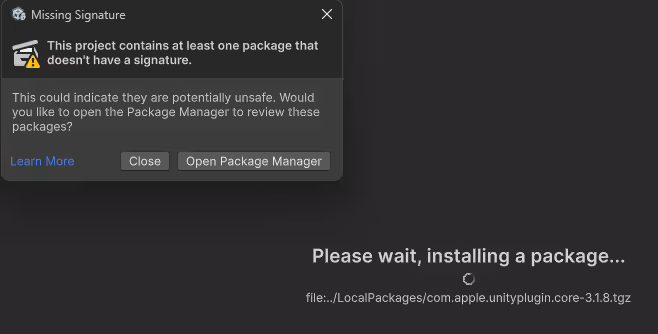
I did not sign the plugins so Unity will shout and give a warning when you try to import them into your editor.
I wanted to integrate Apple GameKit plugin into my Unity game for Android & iOS. I don't have a mac and couldn't build the plugins easily. Also did not find anywhere online the plugin tarballs or any solution to the problem.
Therefore I built the apple unity plugins I needed. You can download them, or follow this guide to build them by yourself if you don't trust me or need other plugins.
Apple.Core (3.1.8)
Apple.GameKit (3.0.2)
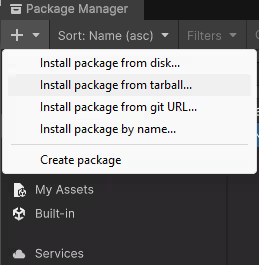
If you don't trust me or want different plugins, you should build them by yourself. In this guide I suppose you have the basic knowledge a software developer possesses and familiar with basic tools.
Among the tools I suppose you know: Python, Bash, Linux, Unity, Git.
Also please watch ONLY THE CLOUD BUILD USAGE PART (9:40 - 18:20) in the following great tutorial of Unity Cloud Build without a Mac and any tutorial of Uploading Files to Google Drive with Python. I will focus only on the parts not found yet on the internet so please do your homework.
Regarding the cloud build tutorial, it explains how to upload your project to the app store connect. We don't need app store connect account to build the packages. The tutorial just teaches you to use the unity cloud build well and it's the one I followed. The whole building and fetching apple unityplugins magic happens ONLY in the pre-build script of the cloud build, so after its execution finished according to logs you can cancel the build and fetch your tarballs. You don't need to wait for the actual unity build to execute.
Let's begin.
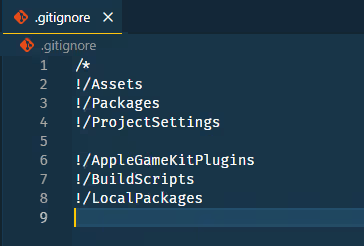
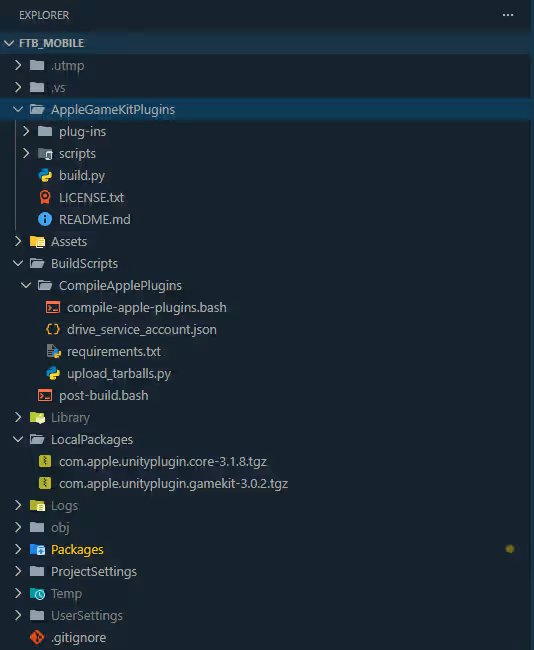
AppleGameKitPlugins is the cloned folder from the Apple Unity plugins github repo. BuildScripts will contain the files we need to build the tarballs and fetch them from the remote machine. LocalPackages is to save the built tarballs inside your unity project using git.
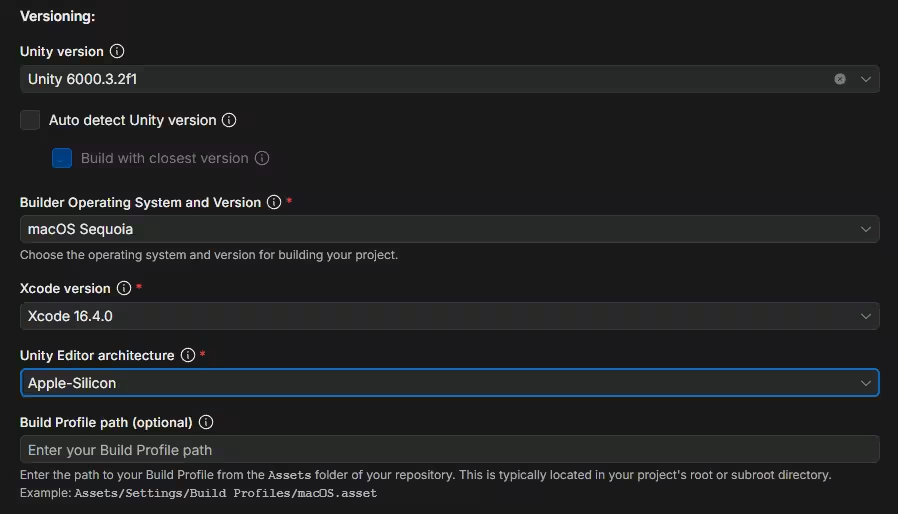
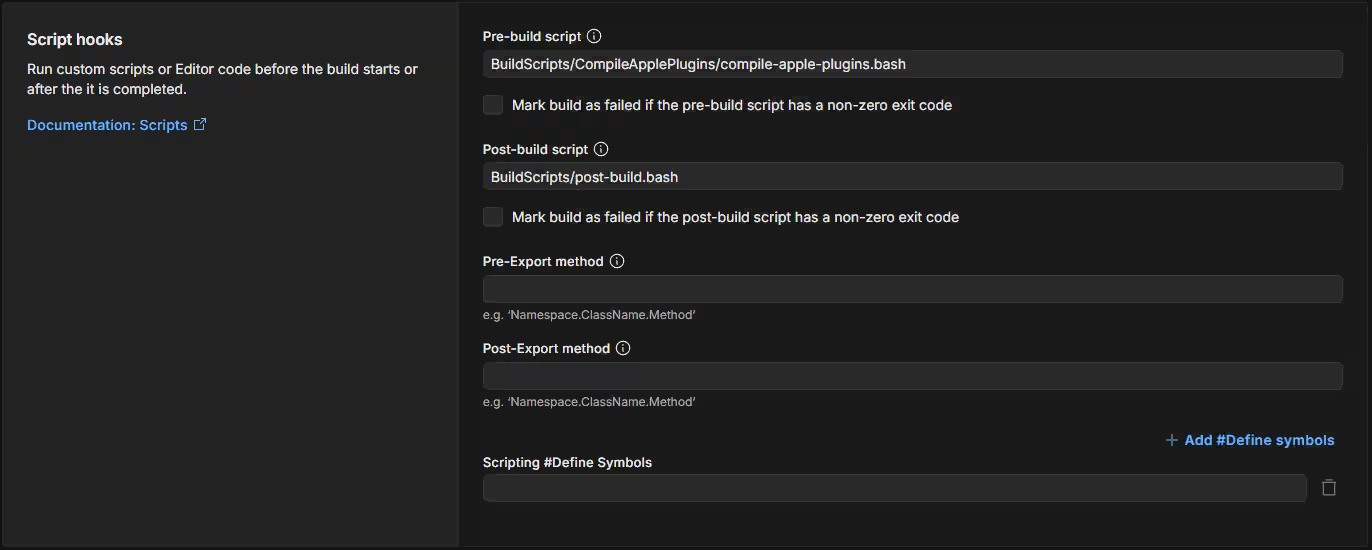
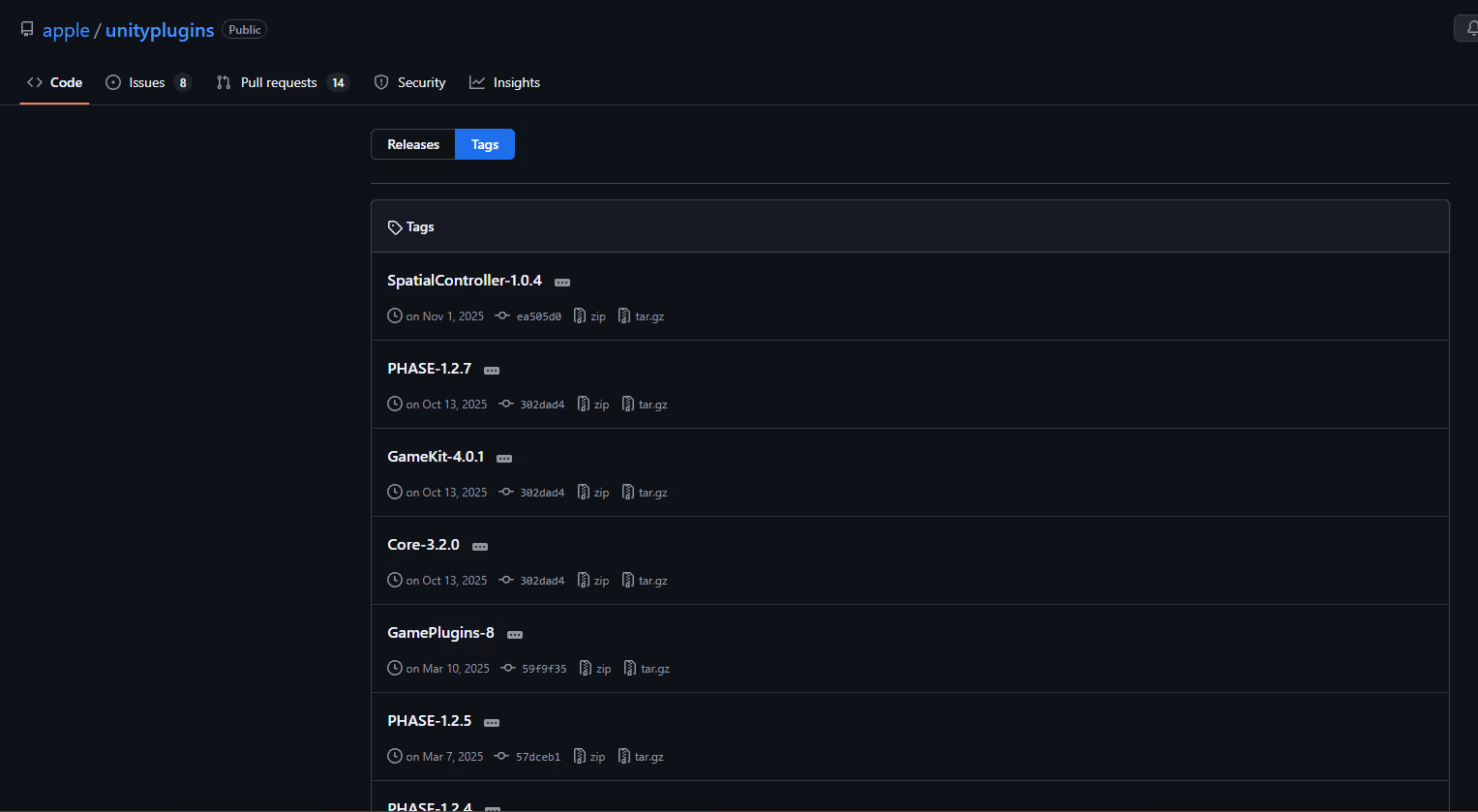
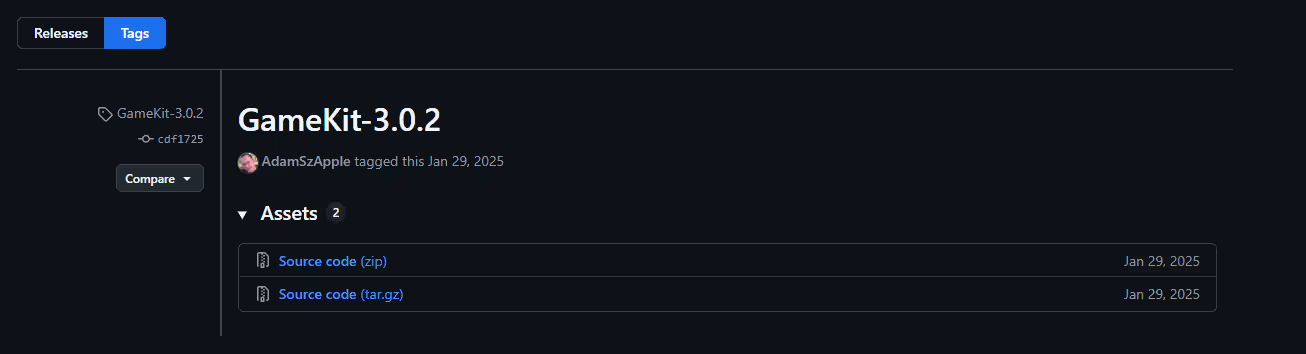
Simply cloning the repository is not enough. Because the main branch is made to be compiled with the latest Xcode version, and we use Xcode 16.4 in the build settings, the build will fail because of missing references.
Download an archive of the BuildScripts and put it inside your project's folder, as in the image of my unity project root hierarchy. Let's go over what happens.
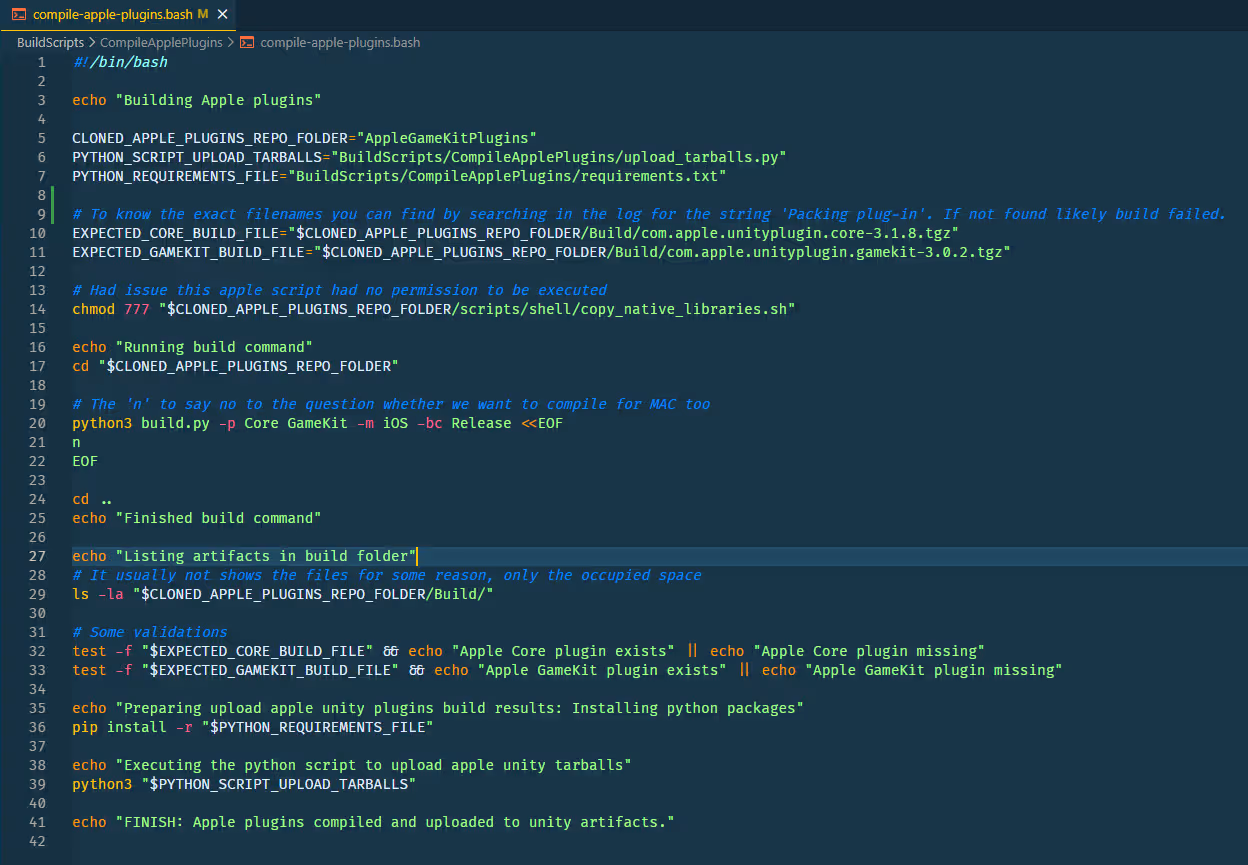

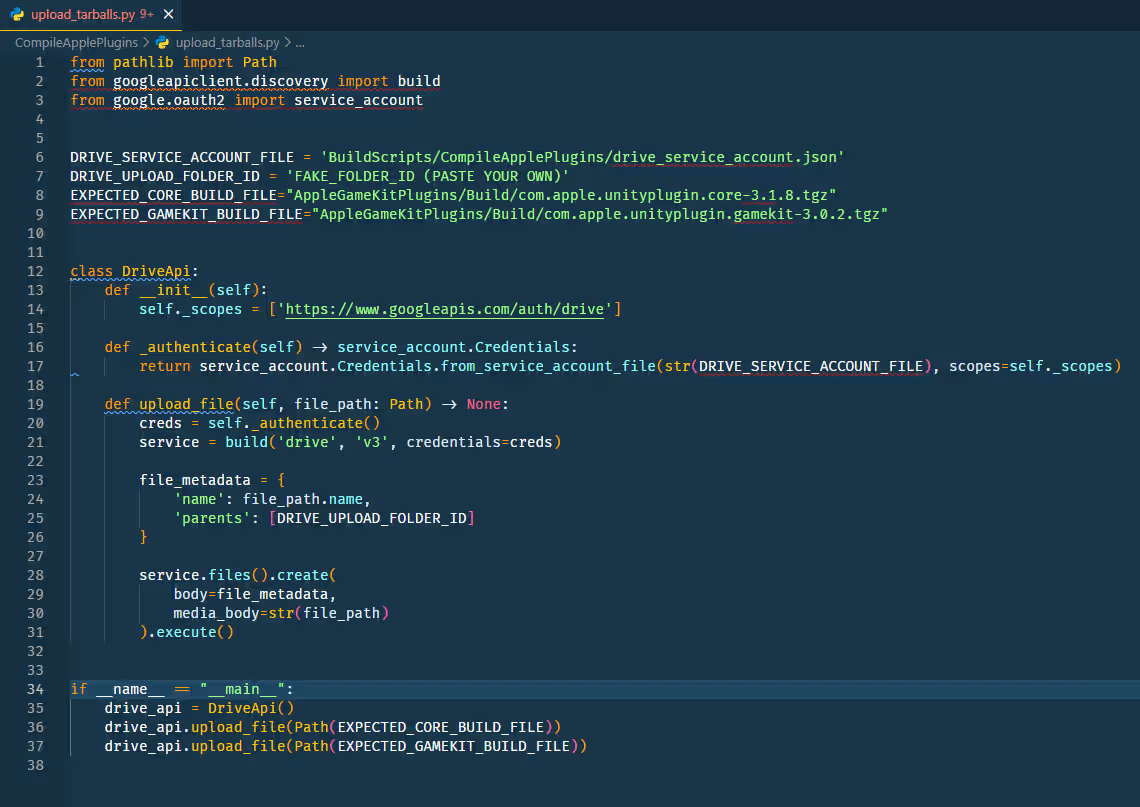

Now, what do we have to do to gain the apple unityplugins tarballs? Let's go over everything again.
You should have already: cloned the correct apple unity plugins repo, pasted the BuildScripts, inserted your own drive_service_account.json file, modified compile-apple-plugins.bash variables & build command to match your needs. Modified upload_tarballs.py to contain your own drive folder id and variables.
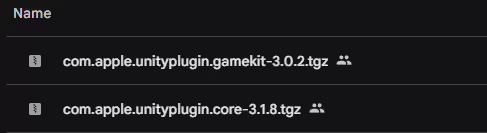
Will write here some additional points you should keep in mind.
First, you can use any unity project for it. An empty one, the one of your main game, whatever you want. I did it inside my game's project because it's easier for me.
Second, you are unlikely to succeed on your first build. You will definitely encounter issues. Investigate the cause in the logs and tweak the files to get closer to your destination. AI might help.

And again, our magic happens in the pre-build script. You can cancel the builds to save some money after the script execution finished.
Some may point out that there is this Unity build automation artifacts API. Initially I tried to use it instead of Google Drive but it is hard and not documented well. After spending too much time debugging errors decided that it's not worth the time and decided to move to the drive solution. If you have other methods you prefer such as AWS S3 you may of course use it instead of the google drive solution.
Feel free to contact me if you have any questions or issues, I might have already encountered them.